


The Best Power BI Premium Licensing Guide for Smart Organizations

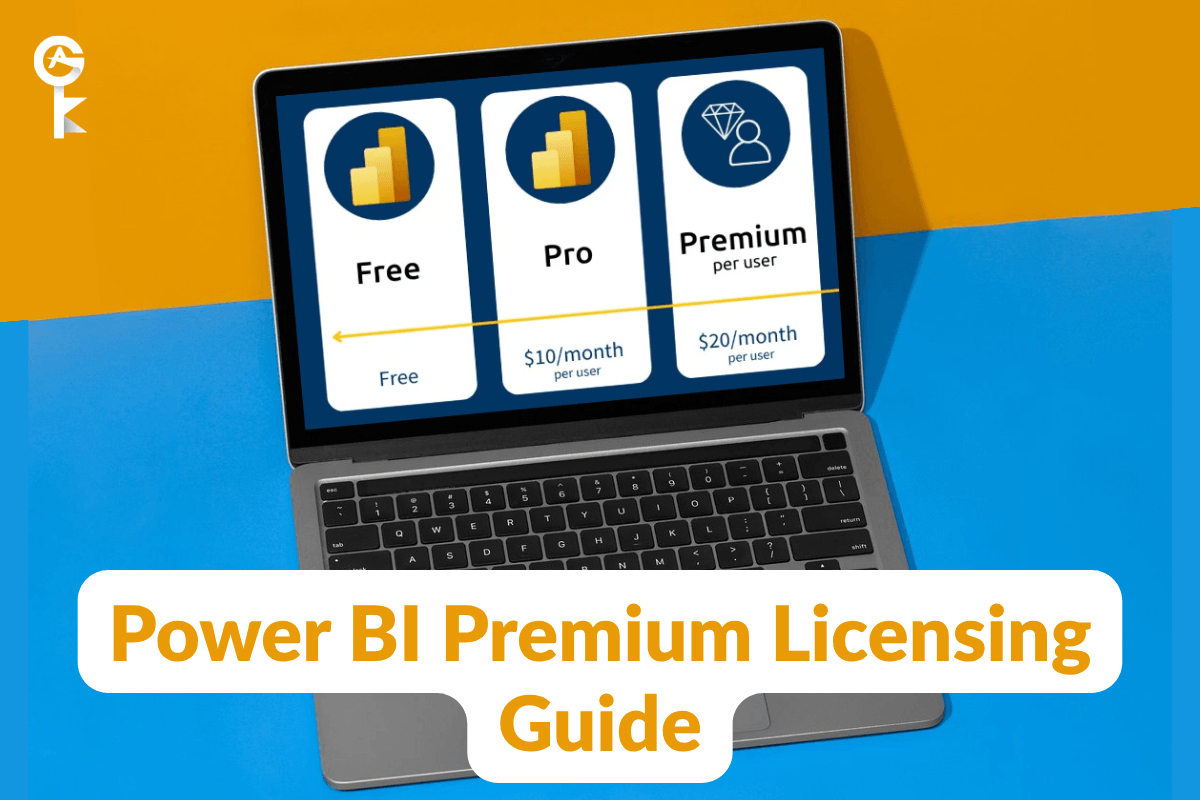
Navigating the world of power bi premium licensing can feel overwhelming if you are trying to scale enterprise analytics across a growing organization. Business intelligence tools are essential for modern decision-making, but picking the wrong tier gets expensive fast. We are here to clear up the confusion so you can pick the exact right setup.
Whether you need dedicated capacity or per-user access, Microsoft offers flexible paths to get higher performance. Understanding how these tiers operate ensures you do not waste a single dollar of your analytics budget. Let us break down everything you need to know about licensing structures, key features, and implementation steps.
Table of Contents
Understanding Power BI Premium Basics
At its core, power bi premium licensing gives organizations enterprise-grade tools, greater data model sizes, and faster refresh rates. Standard Pro licenses work great for smaller teams, but growing workloads demand dedicated resources. Upgrading unlocks predictable performance without individual license restrictions for content consumers.
Microsoft designed this tier specifically to handle heavy data processing and enterprise reporting needs. It bridges the gap between basic reporting and advanced business intelligence infrastructure. If your reports run slowly or hit capacity limits, this upgrade is usually the solution.
Standard cloud reporting resources are shared with other tenants across public cloud hardware. Dedicated environments give your company compute power that is entirely isolated for your reporting needs. That means consistent load times even during peak operating hours across your business.
Premium Per User vs. Premium Per Capacity
When evaluating power bi premium licensing options, you will encounter two main options: Premium Per User (PPU) and Premium Per Capacity (P). PPU allows individual users to access advanced enterprise features without purchasing full dedicated hardware capacity. This makes it an ideal starting point for medium-sized teams with specialized reporting needs.
On the other hand, Premium Per Capacity reserves dedicated hardware resources exclusively for your company. This option allows thousands of free or standard users to view dashboards without extra individual charges. It simplifies administrative management when you distribute reports to massive internal or external audiences.
Choosing between these options depends almost entirely on your total headcount and report consumption patterns. Navigating power bi premium licensing can seem complex, but calculating your active user ratio quickly highlights the financially optimal path. Smaller teams doing heavy data prep thrive on PPU, while large enterprises save money with capacity nodes.
Keep in mind that PPU content can only be shared with other PPU license holders. If you need read-only access for hundreds of casual executives, capacity licensing remains the more cost-effective choice. Always map out user roles before committing to a final purchase.
Step-by-Step Selection Guide
Assessing your organization’s power bi premium licensing requirements requires a systematic evaluation of your current analytics ecosystem. Start by auditing the total number of content creators versus content consumers in your company. Authors who build complex models need dedicated authoring capabilities, while casual viewers only need read access.
Next, evaluate your dataset sizes and refresh frequency requirements. Standard reporting caps dataset refreshes at eight times daily, which might not suit real-time operational needs. Premium capacity increases this limit to forty-eight automated refreshes every single day.
Finally, factor in governance and compliance demands such as multi-geo deployments or bring-your-own-key encryption. Reviewing the official Microsoft Power BI enterprise documentation will give you full details on security capabilities. Take your time during this evaluation step to prevent purchasing unnecessary capacity.
Get Your Power BI Premium Key Today
Key Features and Enterprise Capabilities
Upgrading grants access to advanced Artificial Intelligence capabilities like automated machine learning and cognitive services. You can analyze customer sentiment, extract key phrases, and run image detection directly within your data pipelines. These built-in tools eliminate the need for custom Python or R scripts in many cases.
Another benefit of power bi premium licensing involves paginated reports designed for pixel-perfect printable documents. Operational teams can export complex multi-page financial statements directly to PDF or Excel format seamlessly. These formatted outputs maintain precise layouts across entire organizational distribution lists.
In addition, deployment pipelines streamline the development, testing, and production stages of report creation. Teams can publish updates confidently without worrying about breaking existing live dashboards. High-speed connectivity to large data volumes through XMLA endpoints further empowers enterprise data developers.
Larger memory limits mean your team can query multi-gigabyte datasets directly without performance lag. That speed boost changes how analysts interact with historical operational data during executive reviews. Faster insights lead directly to quicker strategic decisions.
How to Assign and Manage Licenses
Managing your power bi premium licensing setup takes just a few clicks inside the Microsoft 365 admin center. Administrators can easily allocate licenses to individual user accounts or assign capacity nodes to dedicated workspaces. This centralized control prevents unauthorized spending while maintaining clear oversight.
If you need desktop software installed for report design, visit the official official Microsoft Power BI download page to grab the latest tools. Once installed, desktop creators log into their licensed accounts to publish work directly into premium workspaces. Seamless cloud integration ensures that user roles stay updated in real time.
Implementing power bi premium licensing across large teams requires proper role-based access control. Assign workspace administrators, contributors, and viewers to keep data secure and organized. Group-based licensing through Microsoft Entra ID simplifies this process immensely as your workforce grows.
Regular permissions reviews help keep workspace access neat and compliant with modern security standards. Revoke unused developer access to reduce security vulnerability risks across active analytics environments. Maintaining lean access roles improves governance overall.
Cost Optimization and Management Tips
Optimizing your power bi premium licensing budget requires monitoring resource utilization through the capacity metrics app. This tool reveals CPU usage, memory consumption, and peak load times across your entire infrastructure. Identifying bottlenecks early allows you to adjust workspace allocations before user performance suffers.
Consider combining PPU licenses for power users with capacity nodes for widespread dashboard consumers. Hybrid approaches frequently deliver the best financial efficiency for expanding corporate analytics operations. Regularly audit active accounts to reclaim licenses from employees who no longer require advanced features.
Setting up automated alerts when capacity approaches peak thresholds prevents unexpected downtime during critical business hours. Proactive administration ensures smooth report rendering for executive stakeholders. Wise management transforms raw analytics capabilities into a reliable daily business advantage.
You can also schedule heavy background dataset refreshes during off-peak hours to avoid compute spikes. Spreading execution times evenly reduces hardware stress and preserves snappy performance for interactive business intelligence reports. Smooth scheduling keeps workloads stable all day long.
Final Thoughts
Making smart decisions about power bi premium licensing will transform how your organization shares insight and drives business strategy. With flexible options tailored to individual users and whole enterprise capacities, you can scale at your own pace. Start evaluating your user needs today to build a faster, smarter data ecosystem.
Investing in the right infrastructure empowers teams to extract real business value from raw company metrics. Take command of your analytics budget and equip your workforce with tools that drive real outcomes. Modern decision-making starts with reliable business intelligence.


